
Home · Error codes · Turning on the heating
Guide · Heating
How to turn on the heating
When the cold first arrives, many boilers are still in summer mode and only give hot water. Before you call us, check these three things: it takes a minute.
1. Put the boiler in winter mode
Look at the boiler display: with the heating on you'll see a radiator . If you only see the tap, it's in summer mode.
Press the mode button until the radiator appears. On the most common Ariston boilers it's this one (circled in red):
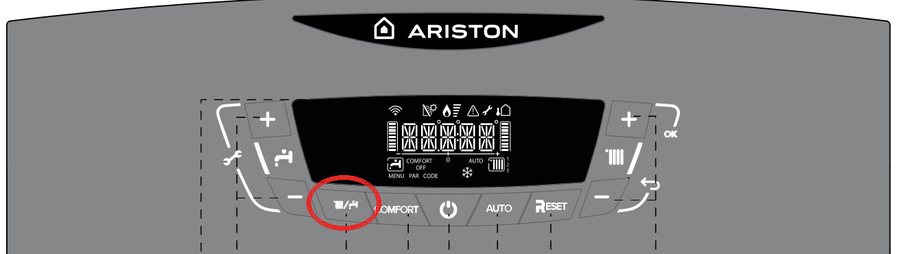
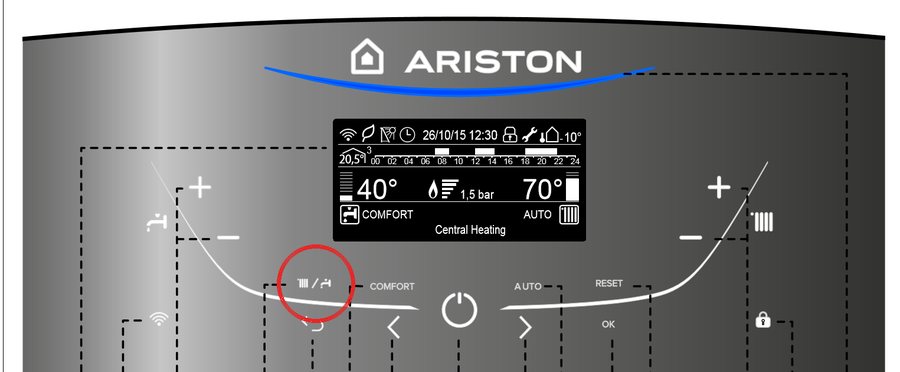
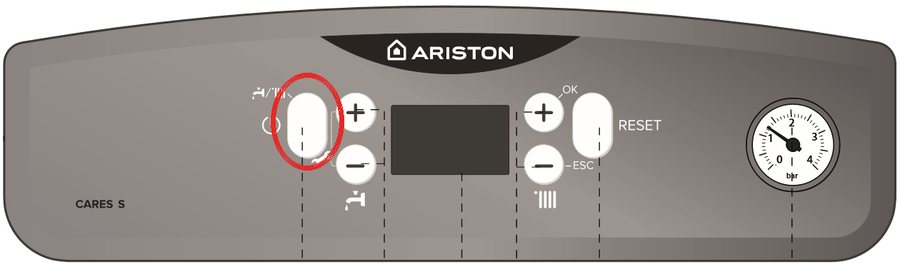
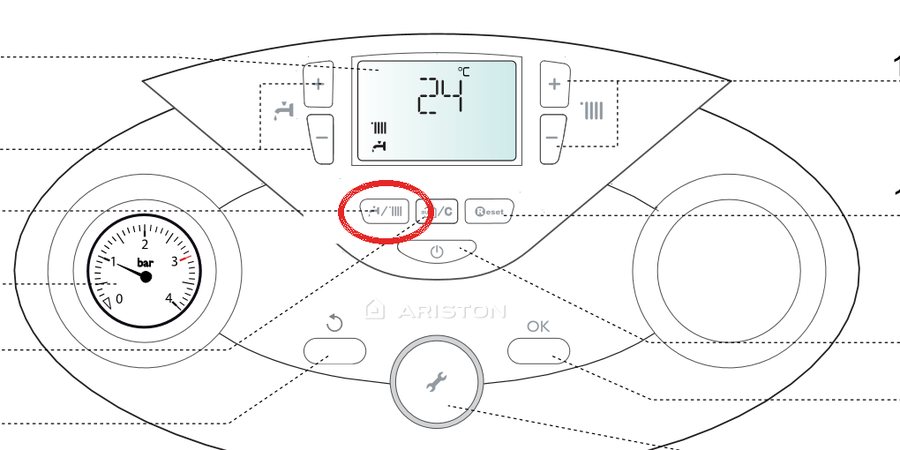
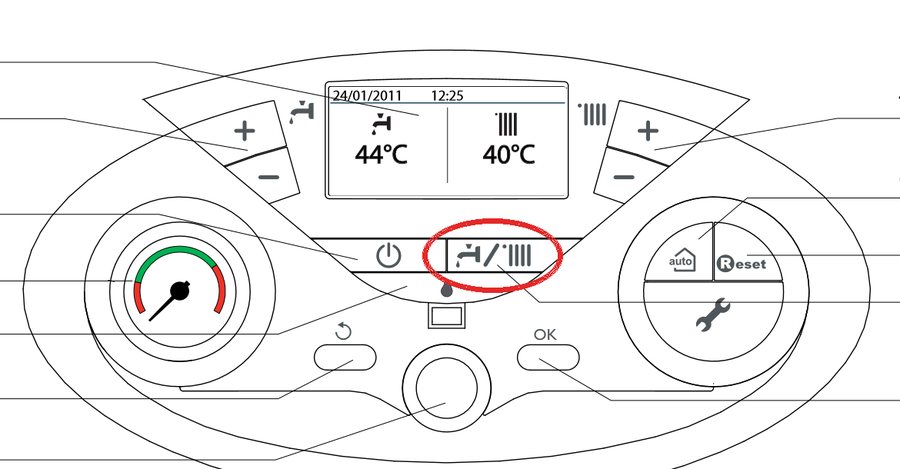
If the display is completely blank, see our guide to a boiler with a blank display.
2. Check the thermostat
- Make sure it's on. If it runs on batteries and the screen looks faint or blank, replace them.
- Make sure it's set to heating, not off, frost protection (the snowflake) or holiday mode.
- Turn it up 2 or 3 degrees above the temperature in the house. If it has a timer programme, switch it to manual or check that it's within an on period.
3. Check that the boiler starts up
When the thermostat calls for heat, the radiator on the display changes:
- Clas, Alteas and Genus: the radiator appears inside a box.
- Cares S and Cares Premium: the radiator appears with an arrow next to it.
- The flame appears straight away: the boiler is heating. On Alteas One, Genus One and Genus Premium a blue light also comes on.
The radiators take about 10 to 15 minutes to feel warm. If one is cold at the top, it has air in it: here's how to bleed your radiators.
If you've done all three steps and the boiler doesn't start, or a code appears on the display, book an engineer and tell us the model and what you can see. The most common codes are on our error codes page.
Control panels: Ariston user manuals. Other brands usually use the same radiator symbol.
Still not sorted?
Book an engineer and we'll tell you what it is and how much it costs before touching anything.